


Smart. Secure. Convenient.
Simplify the way you pay by adding your Northwest Bank debit card to your favorite digital wallet. Whether you're shopping in a store, online, or with a mobile app, you can enjoy a seamless payment experience from your smartphone or other compatible device.
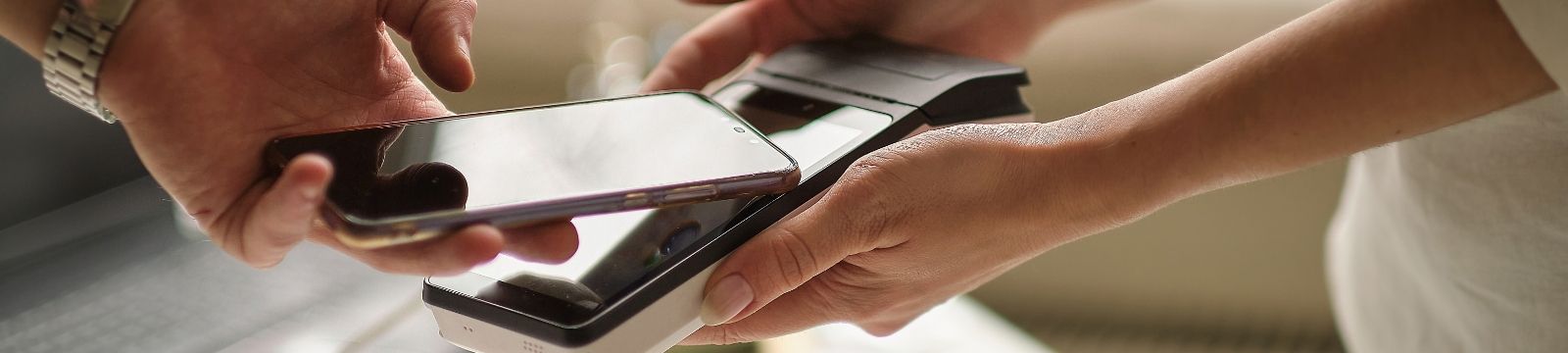
A digital wallet protects your card information by replacing your actual card number with a unique digital token, helping keep your card details secure. Plus, contactless payment lets you simply tap your device at checkout, making everyday purchases faster and easier.
Northwest Bank debit cards are now eligible for use in digital wallets.
Why use a digital wallet?
Convenience
-
- Make purchases without carrying your physical card
- Pay with your phone, smartwatch, or tablet
- Easy checkout for online and in-app purchases
Enhanced Security
-
- Your card number is not shared with merchants during transactions
- Payments use advanced security technology and unique digital credentials
- Device authentication, such as a fingerprint, facial recognition, or passcode, helps protect your account
Contactless Payments
-
- Simply tap your device where contactless payments are accepted
- No need to swipe or insert your card
- Quick checkout at thousands of locations nationwide, where contactless payments are accepted
Getting started is easy!
-
Open your favorite digital wallet app, including Apple Pay, Google Pay, and more!
-
Add your Northwest Bank debit card information and complete the verification.
-
Start making secure purchases using your device. See terms & conditions below.
Northwest Bank debit cards are now eligible for use in digital wallets.
Terms & Conditions
Digital Wallets. A service that allows you to store your Northwest Bank Visa® debit card on a compatible mobile device or smartwatch to make secure purchases. When you use a digital wallet, your debit card number is protected through tokenization, which is a unique digital identifier that greatly reduces the risk of fraud, to process transactions securely.
- Adding and Activating your Northwest Bank Debit Card
- By adding your debit card to a digital wallet, you authorize Northwest Bank to provision a digital identifier for use with that wallet or device. Each digital identifier is unique to the specific wallet or device and may not be used outside of the approved wallet or device. If additional validation is required, you must contact us. For assistance adding your debit card to a digital wallet, contact us at 1-844-646-5465 or reach out to your local customer service team using the contact information found at end of this agreement
- Your Northwest Bank Card Terms Still Apply
- Unauthorized transactions remain subject to the protections and reporting requirements outlined in your Northwest Bank Debit Card Agreement and applicable law.
- The debit card agreement terms and conditions do not change when using a digital wallet.
- Digital wallets are provided by third parties.
- Northwest Bank does not control the operation of digital wallets, or the privacy and data collection practices of wallet providers. Your use of a digital wallet is subject to the digital wallet provider’s terms, conditions, privacy policy, as well as any fees that the digital wallet provider may impose.
- Digital wallet availability may depend on your device, and the requirements of the digital wallet provider.
- Digital wallets may not be accepted by all merchants or at all locations where your debit card is accepted.
- The service coverage on your mobile device may vary based on your mobile carrier, and they may charge you fees.
- Depending on the digital wallet, your mobile device may need to support Near Field Communication (NFC), a short-range contactless technology that allows eligible devices to communicate securely with compatible payment terminals.
- Information may be shared with Northwest Bank and the digital wallet provider to support digital identifiers and transaction processing.
- Transaction Processing & History
- Transactions made using a digital wallet are treated as debit card transactions and will be processed through the applicable payment network. Funds will be withdrawn from your attached account in the same manner as other debit card transactions.
- Should a digital wallet provider display card transactions made through the mobile device, the transaction history does not reflect complete information about your card transactions.
- Transactions made with a digital wallet may appear on your account statement with the digital wallet name, the merchant’s name, or a combination of both.
- Security
- You are responsible for maintaining the security of your device. You should secure your phone and digital wallet credentials by using passcodes, biometric login, and any other authentication methods provided by the wallet or device.
- If your device is lost, stolen, or compromised, or if you believe an unauthorized transaction has occurred, you must notify Northwest Bank immediately.
- If you replace your mobile device, you may need to re-enroll your debit card in your digital wallet.
- How to Remove your Debit Card from a Digital Wallet
- If you wish to remove your digital card from your digital wallet and mobile device, contact the wallet provider or reach out to Northwest Bank at 1-833-803-0209.
- Terms
- At any time, Northwest Bank may restrict, suspend or delete the use of your debit card through a Digital Wallet. Northwest Bank may update or end our participation with digital wallet providers at any point.
- Support
- If you have questions about using your Northwest Bank debit card with a digital wallet, need assistance adding or removing your card, or need to report an unauthorized transaction, contact Northwest Bank at 1-833-803-0209.
4 tips for safeguarding your digital wallet
- Secure your device and digital wallet app
- Implement all available PIN, password, and biometric authentication options to secure your device and digital wallet app
- Implement all available PIN, password, and biometric authentication options to secure your device and digital wallet app
- Be cautious where you use your digital wallet app
- Limit your transactions to individuals or businesses you trust
- Establish a spending cap for purchases and transfers
- Never access your digital wallet on an unsecured or public Wi-Fi network
- Monitor transaction activity
- Regularly monitor your accounts online, set up alerts for potential fraud or significant spending, and consistently review your payment history to quickly identify any declined or suspicious transactions
- If anything looks suspicious, contact your Northwest Bank branch immediately.
-
Prepare for the possibility of device loss
- Make sure you've enabled your device's security features that allow you to lock and/or erase the device in the event it goes missing.
- Make sure you've enabled your device's security features that allow you to lock and/or erase the device in the event it goes missing.